BitPay Review: Fees, Settlement, KYC and Who Can Sign Up
BitPay charges 2% + 25¢ per payment below $500k a month, settles daily to a bank or wallet, and takes new merchants only in the US and Canada.
 Kevin Richards
Key Takeaways
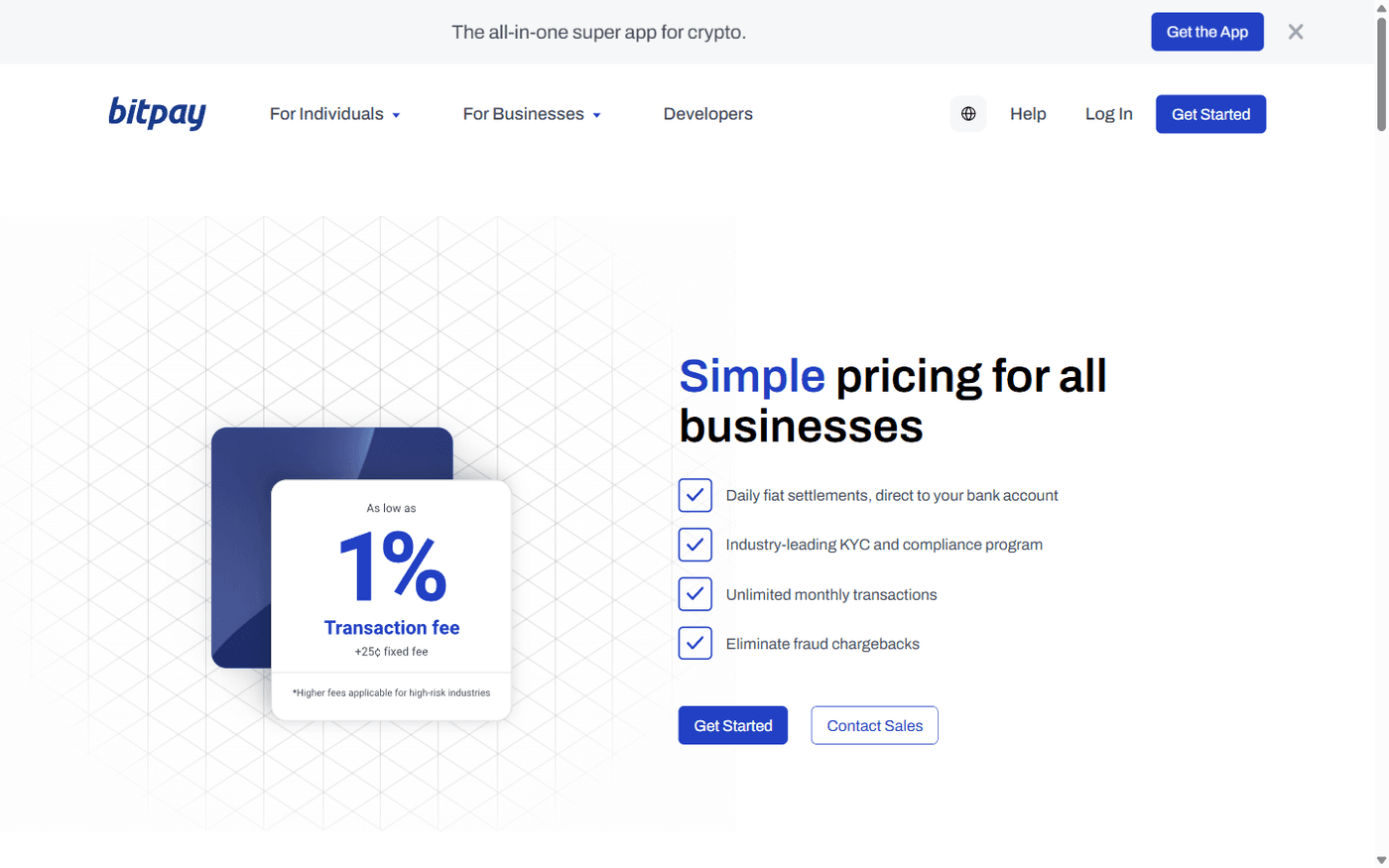
- 2% + 25¢ per payment until your paid invoices pass $500,000 in a month, then 1.5% + 25¢, then 1% + 25¢ from $1,000,000. The often-quoted "1%" is the top tier.
- New merchants: US and Canada only. Onboarding in the EEA, the UK and Australia is paused, and Hawaii and Louisiana are excluded.
- BitPay holds the money until it settles, every business day, in local currency, crypto or a mix.
- Full KYB, and customers need a BitPay ID check above $3,000.
- Adult content is banned (merchant terms, section 4.4.2). Gambling needs express approval.
- Live Shopify App Store app, a maintained WooCommerce plugin, browser-based Quick Checkout and Verifone terminal support.
- Best for registered US or Canadian businesses that want crypto sales paid into a bank account by a US-licensed processor.
Last checked: 6 October 2026. We read BitPay's pricing, in-store and licences pages, its merchant terms (effective 1 April 2026), its developer docs and help centre articles on fees, settlement, verification, countries, coins, billing, payouts and refunds, and queried its public currencies API. We also checked the Shopify App Store and WordPress.org listings, BitPay's GitHub, ESMA's MiCA register and OFAC's 2021 notice. We did not open a merchant account or pay an invoice, so nothing here is a first-hand result.
Affiliate disclosure: Payyd earns a commission if you sign up to BitPay through some links on this page. That does not change the fees, limits or caveats reported here.
BitPay at a Glance
BitPay is a hosted crypto payment processor founded in 2011 and based in Atlanta, Georgia. Your customer pays a BitPay invoice in crypto. BitPay receives it as your agent at a rate locked when the invoice was created, and pays you the next business day in dollars, another local currency or crypto. You never need a wallet of your own. Merchants in the EEA, Switzerland and the UK contract with BitPay B.V. in Amsterdam; everyone else with BitPay, Inc., a Delaware corporation.
Fees: What BitPay Actually Charges
One rate card covers online, in-store and email-billing payments. The rate depends on the value of invoices paid so far in the calendar month:
According to the pricing page FAQ, the lower rate applies from the next invoice after you cross a threshold; earlier invoices are not re-priced. Rates reset on the 1st of each month. The 25¢ applies to every payment, so a $20 order at the first tier costs $0.65 (3.25%). BitPay adds that "higher fees [are] applicable for high-risk industries" without publishing them. Fees come out of your daily settlement, or you can add the estimated fee to the customer's invoice.
Other costs to budget for
- Application fee: section 4.1 of the merchant terms requires a non-refundable fee when you open an account, kept even if you are declined. The amount isn't published, so ask before applying.
- Network Cost (paid by the customer): added to Bitcoin invoices only, when BitPay's own miner-fee estimate is above $0.01.
- Refund miner fees: for BitPay, Inc. merchants the terms take them from the refund unless you opt to cover them; BitPay B.V. merchants pay them from their ledger.
- Wire fees may apply to settlements, except USD to a US bank or EUR within SEPA.
- Payouts through BitPay Send cost 1%.
There is no monthly fee, and BitPay advertises "unlimited monthly transactions", but your verification tier caps daily and annual volume (see Verification).
Who Holds the Money and How Settlement Works
The customer pays a BitPay address, not yours. The terms call your ledger balance "funds temporarily held by BitPay until settlement" and say you have "no claim against the actual cryptocurrency BitPay receives". Section 13.6 adds that if BitPay, Inc. became insolvent, credits to your account would be an unsecured claim. Bank settlements come from BitPay, Inc. or Stichting Client Funds BMSE, a Dutch foundation that separates client money from BitPay's own.
Each business day, BitPay settles the previous business day's payments:
- Local currency (USD, CAD, EUR, GBP, AUD, NZD, MXN or CHF) to a business bank account in the applicant's name. USD by ACH arrives two business days after it is issued; SEPA euros after one.
- Crypto to your wallet, generally by the end of the day after the payment, with BitPay paying the network fee.
- A mix of one fiat currency and up to five cryptocurrencies, split by percentage.
Balances below a currency's minimum roll over. The minimum is $20 for USD but 5,000 CAD for Canadian dollars, which matters for a small Canadian shop, and 0.01 BTC or 200 USDC for crypto. USD to a non-US bank goes by wire with a $10,000 minimum, and New York merchants can only settle in USD, BTC, BCH, ETH or USDC. Before signing, note section 10.5 (BitPay may delay settlement during an investigation, dispute or law-enforcement request) and section 4.8.2 (accounts with no paid transaction for 12 months can be suspended).
Verification: KYB for You, BitPay ID for Some Customers
Every merchant account goes through business verification, and your approved tier sets your limits:
BitPay also requires a fully live website showing what you sell, its prices and public terms or a privacy policy ("coming soon" pages are rejected), settlement details in the application, and no checkout options for Iran, Cuba, North Korea or Syria. Depending on your industry, you may have to apply for a higher tier from the start.
Customers need a one-time BitPay ID check for purchases above $3,000, refunds, payouts and when using a VPN, which can cost you a large sale at checkout. To avoid verification altogether, see our no-KYC gateway guide.
Who Can Use BitPay: Countries and Banned Businesses
Countries
BitPay's supported-jurisdictions article (updated 3 October 2026) lists:
- Merchant onboarding open: United States and Canada.
- Onboarding paused for new merchants: the EEA, the UK and Australia.
- Blocked entirely: Cuba, Iran, North Korea, Syria and the Crimea, Donetsk, Luhansk, Kherson and Zaporizhzhia regions of Ukraine.
- Restricted or unsupported: 36 more countries and territories, including Brazil, China, India, Indonesia, Nigeria, Pakistan, Russia (with "certain restrictions"), South Africa, South Korea, Taiwan, Turkey, Ukraine, Venezuela and Vietnam. BitPay says the list is not exhaustive.
In the US, merchant acceptance is unavailable in Hawaii and Louisiana. For other options, see our guides to US crypto gateways and European crypto gateways.
Prohibited and restricted businesses
Section 4.4.2 of the merchant terms prohibits:
- Drugs and drug paraphernalia, cannabis dispensaries and related businesses, pseudo-pharmaceuticals and substances that mimic illegal drugs
- Weapons, munitions, explosives (including fireworks), and toxic, flammable or radioactive materials
- Sexually explicit content and sexually related services
- Pyramid and investment schemes, multi-level marketing and other deceptive practices
- Derivatives and other speculation or hedging products, credit and collection services, and cloud mining
- Counterfeit or IP-infringing goods, products whose legal status varies from state to state, and sales that disclose third parties' personal data unlawfully
Section 4.5 lists restricted businesses that need BitPay's express authorisation: gambling (where legal for you and your customers), crypto sales, currency exchange, money services businesses, e-wallets, banking and investment products, charities and religious organisations. Adult merchants should see our adult payment processor guide.
Coins, Networks and Wallets
BitPay's help centre lists these invoice payment options (availability varies by location):
- Bitcoin, on-chain and over Lightning
- Bitcoin Cash, Litecoin, Dogecoin and XRP
- Ethereum and Ethereum tokens, including stablecoins
- Polygon (POL) and Polygon tokens
- Base, Optimism and Arbitrum
- Solana, plus USDC and USDT on Solana
BitPay's public currencies API, queried on 6 October 2026, shows USDC on Ethereum, Polygon, Arbitrum, Optimism, Base and Solana, and USDT on the same networks except Base. Tron and BNB Smart Chain are not supported, so customers holding USDT on Tron must move it first. See our USDT payments guide.
BitPay's totals vary by page ("14+ coins" on Shopify, "100+ cryptocurrencies" in marketing). Its legal disclosure names 18 assets: BTC, BCH, ETH, SOL, LTC, DOGE, XRP, POL, SHIB, APE, WBTC, DAI, USDC, USDT, PYUSD, USDP, GUSD and EURC.
At checkout, customers can pay from more than 100 wallets, including MetaMask, Ledger, Trezor and Trust Wallet, or via WalletConnect and Coinbase. Invoices expire after 15 minutes by default, with the rate locked for that window, and BitPay's WooCommerce plugin notes a $1 minimum. Underpayments are not credited to you; the customer is emailed to claim a refund. Overpayments credit only the invoice amount. XRP payments need a destination tag and Solana payments a memo, or BitPay may be unable to refund them.
Shopify, WooCommerce and Other Integrations
Shopify: BitPay has a live listing on the Shopify App Store, published by BitPay, Inc. and launched on 21 July 2022. On 6 October 2026 it showed 5.0 from a single review. It is free to install, BitPay's normal fees apply, and you add it under Settings, then Payments, once your BitPay account is verified. Our Shopify crypto guide compares it with Shopify's own USDC option.
WooCommerce: the "BitPay Checkout for WooCommerce" plugin on WordPress.org was at version 7.1.3 on 6 October 2026. It was last updated on 21 September 2026, has 200+ active installations and a 3.7 out of 5 rating from six reviews. It needs WordPress 6.6 and PHP 8.1 or later.
Everything else: BitPay's developer docs list plugins for Magento 2, WHMCS, Wix and BigCommerce. On BitPay's GitHub, the Magento 2, WooCommerce, WHMCS and Easy Digital Downloads plugin repositories all had code pushed in September or October 2026. There is also a REST API with a sandbox, libraries for PHP, Java and .NET, and payment buttons for sites without a cart.
In-Store: Quick Checkout and Verifone
BitPay's in-store page now offers two routes:
- Quick Checkout for Web runs in the dashboard on any phone, tablet or computer: enter the order and the customer scans a QR code with their own wallet. It includes tipping and is on all plans.
- Verifone integration: "for merchants using compatible Verifone terminals, BitPay can be added as a native payment option alongside cards and contactless payments."
The old BitPay Checkout app for iOS and Android is no longer developed or supported. In-store sales use the same fees and settlement as online. See our crypto POS guide or the best crypto POS terminals.
Recurring Billing, Payouts and Refunds
Recurring billing
BitPay's "subscriptions" are recurring email bills, not automatic charges. You set a bill to resend weekly, monthly or yearly (custom schedules via the API), and each time the customer must open it and pay a fresh invoice from their wallet. BitPay's California disclosures confirm it does not initiate recurring or preauthorised payments. For true subscriptions, compare our subscription billing picks.
Payouts (BitPay Send)
BitPay Send pays staff, contractors, affiliates or customers in crypto without you holding any. You wire fiat to BitPay, recipients pick their cryptocurrency, and BitPay charges 1%. Batches run at 10am and 5pm ET daily. You must request payouts when you apply and pass enhanced due diligence (usually one to two weeks, says BitPay), and recipients need a BitPay ID. See mass payout providers for alternatives.
Refunds
You can refund all or part of a paid invoice from the dashboard or API, in the coin the customer paid with. BitPay's help centre says refunds are based on the invoice's original fiat value, converted at the current rate; the terms also allow refunding the original crypto amount. The customer claims it by email with a wallet address, and BitPay usually processes it in one to two business days. Your ledger must cover the refund, and BitPay can set a refund reserve on request. Payers can't reverse crypto payments, hence BitPay's "eliminate fraud chargebacks" claim. More in our crypto refunds guide.
Licences and Track Record
- United States: the terms say BitPay, Inc. is a FinCEN-registered money services business with money transmitter licences where states require them. Its licences page lists 33 states and DC, NMLS ID 1496848, and a New York BitLicense (No. 0000008). Its California licence application is pending.
- European Union: ESMA's interim MiCA register lists BitPay B.V. as authorised by the Dutch AFM from 16 July 2026 (crypto-for-funds exchange and transfer services, all 30 EEA countries). The 1 April 2026 terms still cite its earlier De Nederlandsche Bank registration, and new EEA onboarding remains paused.
- Sanctions settlement: on 18 February 2021, OFAC announced that BitPay had agreed to pay $507,375 to settle potential civil liability for 2,102 apparent sanctions violations. BitPay had let people apparently in Crimea, Cuba, North Korea, Iran, Sudan and Syria pay merchants despite having their location data.
- Scale: BitPay claims more than $7 billion and 13 million transactions since 2011; we could not check this independently.
BitPay's consumer products (a self-custody wallet and a Bill Pay service paused since 26 December 2025) don't affect a merchant account, so this review leaves them out.
How BitPay Compares
Per order, BitPay costs more than CoinGate's published 1%. Its advantages are US bank settlement from a US-licensed company, a Shopify app and Verifone support. If you don't need fiat, BTCPay Server charges nothing and pays straight to your wallet. Our BitPay vs CoinGate vs BTCPay comparison and BitPay alternatives list go further. You can also browse gateways with fiat settlement.
Pros and Cons
Pros
- Daily settlement to a bank, crypto wallet or both
- No need to hold crypto or run a wallet
- US state licences, NY BitLicense and EU MiCA authorisation
- Shopify app and an actively updated WooCommerce plugin
- Quick Checkout and Verifone support in store
- Stablecoins on six networks, plus Lightning
- Fees fall automatically as monthly volume grows
Cons
- 2% + 25¢ for most merchants
- Non-refundable application fee of an unpublished amount
- New merchants only in the US and Canada
- Full KYB; BitPay ID for some customers
- No Tron or BNB Smart Chain
- No automatic recurring charges
- Adult content and many other categories are prohibited
- BitPay holds funds until settlement
Verdict: Who BitPay Suits
See BitPay's Full Profile
Fees, supported coins, plugins and features in one place.
BitPay Profile → Visit BitPay →Frequently Asked Questions
Is BitPay legit?
Yes. BitPay has operated since 2011, holds US state licences and a New York BitLicense, and its Dutch company is MiCA-authorised. In 2021 it paid $507,375 to settle apparent sanctions violations with OFAC.
What are BitPay's fees?
2% + 25 cents per payment below $500,000 of paid invoices in a month, 1.5% + 25 cents to $999,999, and 1% + 25 cents from $1,000,000. Rates reset monthly, and high-risk industries pay more.
Can I use BitPay outside the US?
New merchant accounts are open only in the US and Canada. Onboarding in the EEA, the UK and Australia is paused.
Does BitPay require KYC?
Yes. Merchants pass business verification, including ID for every owner with 25% or more. Customers need a BitPay ID above $3,000 or when using a VPN.
How fast does BitPay settle?
Every business day, for the previous business day's payments. USD by ACH arrives two business days after it is sent; crypto is sent daily.
Does BitPay work with Shopify?
Yes. It has a live Shopify App Store listing; you need a verified BitPay merchant account first.
Can adult or gambling businesses use BitPay?
Adult businesses cannot: section 4.4.2 of the merchant terms prohibits sexually explicit content and sexually related services. Gambling needs BitPay's express authorisation.
Does BitPay accept USDT on Tron?
No. BitPay accepts USDT on Ethereum, Polygon, Arbitrum, Optimism and Solana, not Tron.
Sources
- BitPay: pricing (rate tiers, settlement options, pricing FAQ)
- BitPay help: what fees will I pay for payment processing?
- BitPay help: the Network Cost fee
- BitPay: Merchant and Donee Terms of Use (effective 1 April 2026)
- BitPay developer docs: banking and settlements
- BitPay help: when do merchant settlements occur?
- BitPay help: what are my options for settlement?
- BitPay developer docs: compliance, BitPay ID and verification tiers
- BitPay help: how do I apply for a merchant account?
- BitPay help: what countries or jurisdictions does BitPay support? (updated 3 October 2026)
- BitPay help: where in the United States are BitPay services available?
- BitPay help: what cryptocurrencies can I use to pay a BitPay invoice?
- BitPay: supported crypto assets disclosure
- BitPay public API: supported currencies and chains (queried 6 October 2026)
- BitPay developer docs: FAQs (15-minute invoice expiry, wallets)
- Shopify App Store: BitPay
- BitPay developer docs: Shopify setup
- WordPress.org: BitPay Checkout for WooCommerce
- BitPay developer docs: eCommerce plugins
- BitPay on GitHub (plugin repositories)
- BitPay help: adding crypto payments to your website (libraries, Quick Checkout)
- BitPay: in-store payments (Quick Checkout and Verifone)
- BitPay developer docs: in-person payments
- BitPay help: BitPay Checkout app no longer in development
- BitPay help: recurring subscription billing
- BitPay developer docs: email billing
- BitPay developer docs: payouts (sending crypto)
- BitPay help: getting started with BitPay Send
- BitPay help: how do I refund a fully paid invoice?
- BitPay developer docs: refunding payments
- BitPay: licences
- ESMA interim MiCA register: authorised crypto-asset service providers (BitPay B.V.)
- OFAC: settlement with BitPay, Inc. (18 February 2021)
- BitPay: about
- BitPay: business payments
- BitPay help: Bill Pay paused on 26 December 2025
- CoinGate: pricing
- CoinGate: accept payments (settlement, licensing)
- BTCPay Server: homepage