Trocador Review: AnonPay Fees, KYC and Risks for Merchants
Trocador's AnonPay lets customers pay in almost any coin while you receive the one you pick. Fees, settlement, KYC limits and exchange risk explained.
 Kevin Richards
TL;DR: Trocador for merchants
Trocador is a no-account exchange aggregator. Its merchant product, AnonPay, is a payment link, widget or API call: the customer pays in a coin they hold, a partner exchange swaps it, and the coin you chose (for example XMR or BTC) lands in your own wallet. Trocador never holds the funds and lists no separate fee; the swap cost is built into the exchange rate.
The catches: third-party exchanges run each swap and can halt it for KYC/AML checks, payouts are crypto only, each payment is capped at the equivalent of 5 BTC, and Trocador's terms exclude US and EEA residents from using its partner exchanges. Best for privacy-focused sellers outside those regions who want to be paid in one coin without signing up anywhere.
Try Trocador AnonPay →Last checked: 6 October 2026
We read Trocador's AnonPay page and documentation, API documentation, affiliate page, FAQ, terms of use and privacy policy, plus BTCPay Server's Trocador plugin documentation, directory listing and GitHub repository. trocador.app showed a browser check to our fetcher on some pages, so those were read on Trocador's own noscript mirror (noscript.trocador.app). We did not create a payment or a swap.
We could not confirm: Trocador's own commission rate, an exact count of supported coins (the coins API needs a key), where the operating company is registered, or how the B and C exchange ratings are defined.
Affiliate disclosure: Payyd earns a commission when you use some of the links on this page.
What Trocador and AnonPay Are
Trocador (trocador.app) collects quotes from partner instant exchanges and lets you swap directly with the one you pick, without opening an account. Its terms are explicit that "Trocador itself does not perform any trades" and that it does "not ever take custody of your funds". The site is owned and managed by Reta Development Assets LLC, according to those terms. On 6 October 2026 its partner section listed more than 30 exchanges and swap services, including ChangeNow, FixedFloat, StealthEx, SimpleSwap, Exolix and LetsExchange.
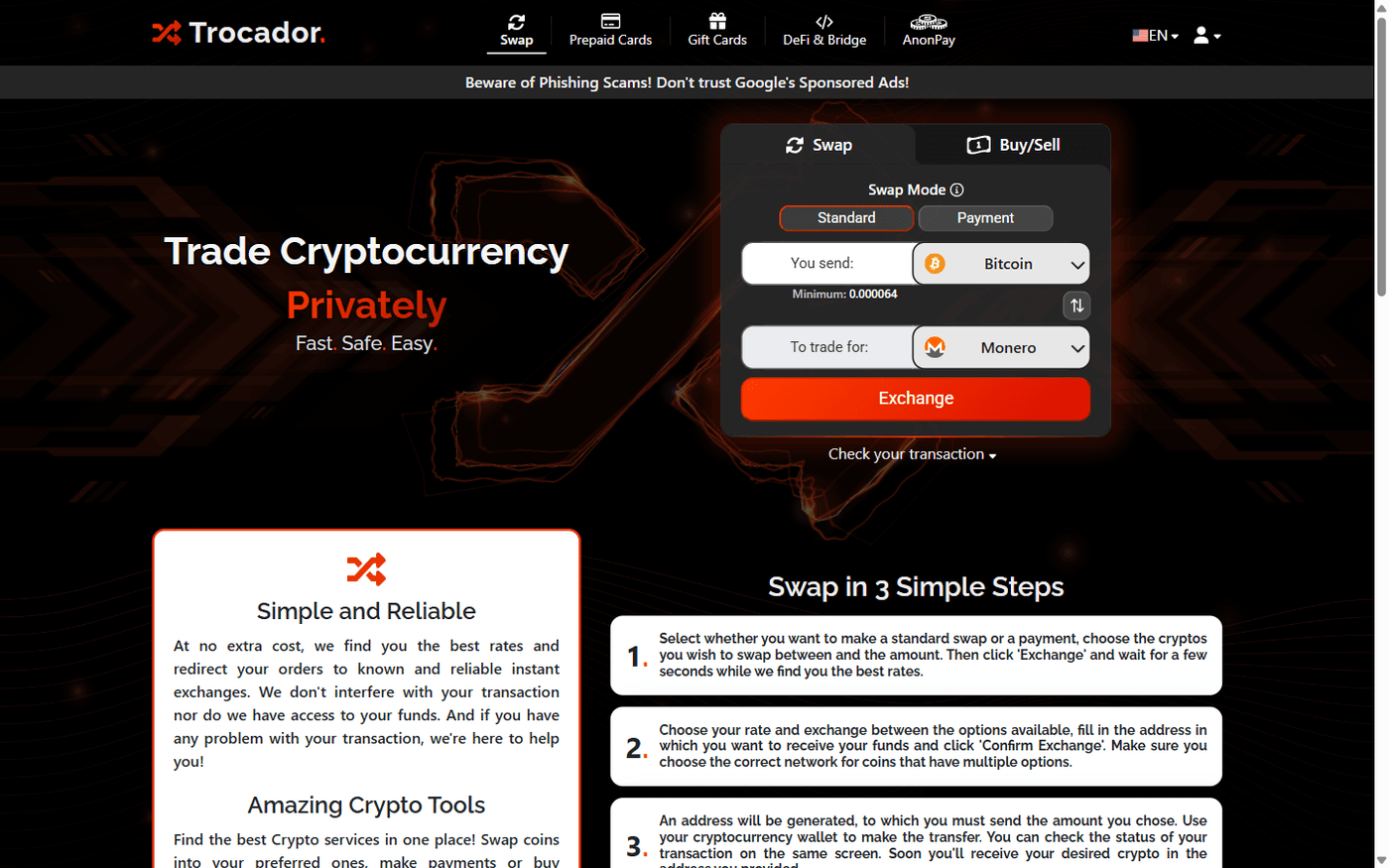
AnonPay is the part merchants care about. Trocador describes it as a way to "accept donations or payments for your services or sales in over 1000 cryptos and receive in your preferred one". In practice it is a hosted checkout page driven entirely by URL parameters, so it works on a website, in an iframe, or as a link pasted into a chat or invoice. It also has an API mode, webhooks and a BTCPay Server plugin, covered below.
How a Payment Works and Who Holds the Money
- You build a payment link with the coin and network you want to receive (for example XMR on Mainnet, or a token on an ERC20 or BEP20 network) and your own receiving address. Optional fields include a fixed amount, a fiat price (Trocador converts it at the current CoinPaprika rate), a description, and an email or webhook for notifications.
- The customer opens the link and picks a coin they hold. Trocador gets quotes from its partner exchanges and sets up the swap.
- The customer sends coins to the exchange's deposit address. From that moment the exchange, not Trocador, holds the deposit until it completes the swap.
- The exchange sends your chosen coin straight to your address. The status moves through waiting, confirming and sending to finished.
Settlement is therefore crypto only, to your own wallet, as soon as the exchange pays out. There is no Trocador balance, no withdrawal step and no fiat payout; the documentation says plainly that "we don't yet accept fiat payments".
If the customer chooses the same coin you asked for, no swap happens: they are shown your address and amount and pay you directly, and Trocador charges nothing. The trade-off is that Trocador cannot see whether that payment was made, so the email notice is sent when the transaction is created rather than when it is paid. If you already accept that coin another way, the remove_direct_pay parameter switches this option off.
Fees
Trocador publishes no spread range, and the cost depends on which exchange wins the quote. If you build your own checkout on Trocador's API, each quote in the rate response includes its spread as a percentage, so you can show it to customers. API partners can also add their own markup of 1%, 1.65% or 3%; Trocador warns this gives users worse rates. With no markup, Trocador shares half its commission with the partner. The AnonPay documentation lists a ref parameter for your referral code but no markup parameter.
Coins, Limits and Timing
- Coins: Trocador says AnonPay accepts over 1,000 cryptocurrencies. You choose the receive coin by ticker and network (the documentation's examples include BTC, XMR, ETH and LTC, and networks such as Mainnet, ERC20 and BEP20). Coins that use a memo or Extra ID need the
memoparameter. We could not count the list ourselves because the coins API requires a key. - Maximum: the equivalent of 5 BTC per AnonPay transaction, which Trocador says is "to minimize delays and KYC risk".
- Minimums: each exchange sets its own minimum. Trocador's FAQ says a few accept trades as small as $10, but many have higher minimums, so small payments may get fewer quotes.
- Timing: Trocador says swaps usually take 5 to 60 minutes, depending on the coin and network congestion. BTCPay Server's Trocador plugin docs say most exchanges finish in about 10 minutes, the slowest can take up to a day, and recommend an invoice expiry of at least 120 minutes.
- Unpaid API-created payments: transactions created with the indirect (API) method have 72 hours to be started before they are deleted.
KYC, Privacy and Jurisdictions
You need no account, email or ID to create AnonPay links. That is not the same as no KYC at any amount.
- Exchanges can still ask for KYC. Trocador's FAQ says each partner exchange "may halt your transaction and demand KYC/AML verification before completing it", and that funds with high AML risk or from mixers will be refused.
- Exchanges are rated A to D. The API documentation defines the range as A (no KYC) to D (may hold the user's funds indefinitely until verification). AnonPay's
min_kycratingparameter limits payments to exchanges rated at least A, B or C. - Some logs are kept. Some exchanges require Trocador to store the customer's IP address, user agent and language header. Trocador says these are never sold and are provided to law enforcement only on individual request. Exchanges may also keep amounts, coins, addresses and transaction hashes.
- Trade records are short-lived. The privacy policy says trade details are deleted after 14 days, or immediately on request. Keep your own records, such as webhook payloads, for accounting.
- Tor and I2P. AnonPay links and the API have .onion and I2P addresses, and Trocador says its JavaScript is optional. Some exchanges refuse Tor or I2P connections and show as unavailable when you use them.
- Prohibited jurisdictions. Trocador's terms say that anyone "using Trocador's partners through our platform" represents that they are not located in, or a citizen or resident of, the United States, a European Economic Area country, or a UN/OFAC-sanctioned jurisdiction. OFAC-sanctioned addresses are refused automatically. If your customers are in those places, this is a terms-of-use problem, not just a technical one.
For other gateways that do not ask merchants for ID, see our no-KYC payment gateway guide and the no-KYC gateway rankings.
Integration Options
1. Payment link (direct method)
Build a URL such as https://trocador.app/anonpay/?ticker_to=xmr&network_to=Mainnet&address=... and share or embed it. No backend is needed, and the Payment Generator builds the URL for you. The documentation warns that the customer can edit the address and amount in a direct link, so always confirm you actually received the right amount at the right address.
2. API (indirect method) and webhooks
Add direct=False and the same URL returns JSON with a transaction ID and checkout URL, which the customer cannot alter. Poll /anonpay/status/<ID>, or pass a webhook URL to receive a POST on every status change. A webhook_key is sent in a Webhook-Key header so you can check the request came from Trocador; the docs say to use webhooks only with direct=False so the key is not exposed. Our webhooks guide covers verification patterns.
3. Widget and donation mode
An iframe snippet embeds the checkout on any page, with custom button, text and background colours. donation=True turns it into a donation widget with an optional preset amount and maximum, useful for crypto donations or selling without a website.
4. BTCPay Server plugin
BTCPay's Trocador plugin adds the AnonPay widget to BTCPay checkout, so customers can pay in coins your store does not support while you settle in Bitcoin, Monero or another coin. On 6 October 2026 the newest build in BTCPay's plugin directory was 2.1.1 (1 February 2026, for BTCPay 2.0.0 to 2.3.6). A July 2026 review there said the widget did not appear until pull request #7 was merged. That fix for BTCPay 2.3 was merged on GitHub on 4 September 2026, but no newer build was listed, so test a real invoice before relying on it.
5. What is missing
Trocador's own pages mention only the BTCPay Server plugin, and we found no official WooCommerce or Shopify plugin. For WooCommerce, the documented path is BTCPay Server with its WooCommerce plugin plus the Trocador plugin; our BTCPay Server setup guide covers the first part.
Where the Risk Sits
The aggregator model moves risk from Trocador to whichever exchange runs each swap. For a merchant that means:
- A payment can stall. If the exchange halts the trade for a KYC or AML review, you are not paid until it is resolved, and the customer has to deal with the exchange. AnonPay statuses include halted, failed, refunded and expired; handle each one in your order flow.
- You can be underpaid. There is a paid partially status for when the amount delivered is lower than asked. Trocador's FAQ says some exchanges complete wrong-amount deposits proportionately while others halt them.
- Fixed quotes are not absolute. If the market moves too far, the exchange "may still decide to refund the transaction instead of proceeding with the quote".
- The Trocador Guarantee is limited. If an exchange neither completes nor refunds a trade and cannot show unusually high AML risk, Trocador reimburses up to a protected amount, set as a percentage of the transaction when it is created. It excludes D-rated exchanges, halts on police request or legal order, and proven AML cases. Claims must be made within 10 days, the payout is at Trocador's discretion, and Trocador can change or end it. The terms describe it from the swapping user's side; the AnonPay documentation does not say how it applies to AnonPay payments.
To lower the risk, set min_kycrating to A or B (you will see fewer quotes), keep large orders well below the 5 BTC cap, use the indirect method with webhooks, and give invoices a long expiry.
Pros and Cons
Pros
- No account or ID needed to start taking payments
- Customers pay in coins you do not want to hold; you receive one coin in your own wallet
- Trocador never holds funds, so there is no balance to withdraw
- No separate Trocador fee; same-coin payments are free
- Works as a plain link, with no website or JavaScript required
- .onion and I2P endpoints
- Webhooks, a status API and a BTCPay Server plugin
Cons
- Third-party exchanges run the swap and can halt payments for KYC/AML checks
- Terms exclude US, EEA and sanctioned-country residents from using partner exchanges
- No fiat settlement
- 5 BTC cap per payment; exchange minimums can rule out small payments
- Swap cost varies by exchange and pair, with no published rate
- No official WooCommerce or Shopify plugin; the latest published BTCPay plugin build predates a merged checkout fix
- Direct links can be edited by the payer, and trade records are deleted after 14 days
How It Compares
If you want payments to land in your wallet without a swap partner in the middle, a self-hosted BTCPay Server with the Monero plugin is the closest privacy-first alternative; the Monero plugin's README warns that it shares one Monero wallet across every store on the instance. See our BTCPay Server review. PayGate.to is a hosted, no-sign-up option with a flat fee. For a wider list, see our guide to accepting Monero payments and the non-custodial gateway rankings.
Verdict
AnonPay is a real payment tool, not just a swap site: payment links, a widget, webhooks and a BTCPay plugin. It suits sellers outside the US and EEA who want to be paid in one coin, often Monero, without signing up with a processor, and who can accept crypto-only settlement and occasional exchange-side holds.
Look elsewhere if you need fiat payouts, a native e-commerce plugin, predictable fees, or customers in the US or EEA. The aggregator model is the main thing to weigh: Trocador never touches the money, but every swapped payment depends on a third-party exchange completing it. See also our Trocador gateway profile.
Create an AnonPay payment link
Try Trocador AnonPay →Frequently Asked Questions
Is Trocador a crypto payment gateway?
Partly. Trocador is an exchange aggregator; its AnonPay product adds payment links, a widget, a status API, webhooks and a BTCPay Server plugin. It has no fiat settlement and no official WooCommerce or Shopify plugin.
Does Trocador require KYC from merchants?
Not to create AnonPay links. But the partner exchanges that run each swap may halt a payment and ask for KYC/AML verification. Trocador rates exchanges from A (no KYC) to D, and the min_kycrating parameter lets you exclude lower-rated ones.
Does Trocador hold my funds?
No. The customer's deposit sits with the partner exchange during the swap, and the exchange sends your chosen coin straight to your address.
What does AnonPay cost?
Trocador lists no separate fee. Exchange and network fees are built into the quoted rate and vary by exchange and coin pair. Same-coin payments involve no swap and no Trocador fee.
How long does an AnonPay payment take?
Usually 5 to 60 minutes, according to Trocador. BTCPay's plugin documentation says the slowest exchanges can take up to a day and recommends invoices that expire after at least 120 minutes.
Can customers in the US or EU pay through AnonPay?
Trocador's terms say users of its partner exchanges must not be located in, or citizens or residents of, the US, the European Economic Area or sanctioned jurisdictions. Take legal advice before relying on AnonPay for those markets.
Is there a WooCommerce plugin for AnonPay?
Not an official one. The documented route is BTCPay Server's WooCommerce plugin plus BTCPay's Trocador plugin; test the Trocador plugin before going live (see the integration section).
How does the Trocador affiliate program work?
Partners earn 50% of Trocador's commission on referred trades, paid in Monero, with a 0.002 BTC minimum withdrawal. AnonPay links accept your referral code through the ref parameter.
Sources
All checked on 6 October 2026.
- Trocador AnonPay page: https://trocador.app/en/anonpay
- Trocador AnonPay documentation: https://trocador.app/anonpaydocumentation
- Trocador homepage and partner list (noscript mirror): https://noscript.trocador.app/
- Trocador About and FAQ, including the Trocador Guarantee: https://noscript.trocador.app/about/
- Trocador API documentation: https://noscript.trocador.app/docs/
- Trocador affiliate program: https://noscript.trocador.app/affiliate/
- Trocador terms of use: https://noscript.trocador.app/termsofuse/
- Trocador privacy policy: https://noscript.trocador.app/privacypolicy/
- BTCPay Server: Trocador plugin documentation: https://docs.btcpayserver.org/Trocador/
- BTCPay plugin directory: Trocador listing: https://plugin-builder.btcpayserver.org/public/plugins/trocador-app
- Trocador BTCPay plugin, pull request #7 (checkout fix): https://github.com/GergelyGombai/trocador-plugin/pull/7
- BTCPay Server general FAQ: https://docs.btcpayserver.org/FAQ/General/
- BTCPay Server Monero plugin: https://github.com/btcpay-monero/btcpayserver-monero-plugin
- BTCPay Server Docker deployment (Tor hidden services): https://github.com/btcpayserver/btcpayserver-docker
- Trocador AnonPay URL generator: https://trocador.app/anonpayurlgenerator
- BTCPay Server for WooCommerce plugin: https://wordpress.org/plugins/btcpay-greenfield-for-woocommerce/
- PayGate.to crypto payment gateway: https://paygate.to/crypto-payment-gateway-no-kyc-instant-payouts/